DIY – Do the numbers stack up?

DIY property report preparation – do the numbers stack up?

Would you service and repair your own car during work hours?

How about preparing all the catering for a client lunch meeting?

Of course, you wouldn’t.

Whilst you may be more or less capable of doing either, it just doesn’t make commercial sense to take that time out of your day when there are trained experts who will complete your audio typing far quicker, better and more importantly, at a lower cost.

So, why then would you or your highly skilled fee earners type out their own documents?

Of course, you can type, but the truth is, the time it might take you to type out a report could actually cost you a small fortune.

Let’s look at the numbers:

A qualified Chartered Surveyor will be charging at least £100 per hour. To type out a 10-page report – roughly 4,500 words – at an average untrained speed of 33 words per minute, would take approximately 2 and a half hours. Which actually costs the business £250 of unchargeable time.  Add to that proofing and correcting, and you’re looking at over £300!

Compare that with an experienced, professional audio typist, who could produce the same document in about an hour, proofread, immaculately typed and spaced. That’s likely to only cost around £60 to get your document back on the same day – and all the while your surveyor can be doing what they do best – earning for your firm.

DIY property report preparation can be fun and sometimes it may even make sense, but in the fast-moving professional world, specialist jobs are always best left to the specialists.

BackupTyping have a team of highly experienced and trained professional transcription typists waiting to type your documents – and save you money. We’re darned good at it because it’s all we do.

DIY? No thanks – call the professionals.

Call Lorna on 020 7096 1663 to get started.

Audio typing: Why we're definitely better than you!

If you’ve ever been tempted to type your documents yourself, you may wonder why professional audio typists will always do it better than you…

Put simply, an audio typist is an expert at typing accurately and at speed (probably three times faster than an average person) from a dictated recording.

So what’s the secret of accurate audio typing?

Well, apart from years of training and experience (we’ve already won, hands-down right?), professional audio typists use a specialist transcription system that employs a foot pedal to control the playback of dictation through headphones. Smart eh?

The control pedal allows the audio typist to regulate the dictation playback speed and flow, in order to type without interruption.

So whatever speed you talk at, a professional audio typist will be able to control its delivery to suit their typing speed – even speeding it up if necessary!

But what about the other benefits of using an audio typist?

Using a specialist property report typing professional is the quickest and most cost-effective way to prepare accurate and properly formatted documents for your organisation.

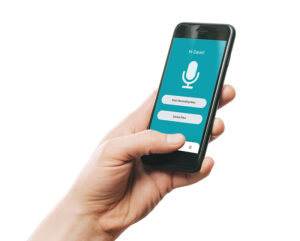
As a property professional, you can simply dictate your report – on the hop if necessary – into a dictation machine, either a handheld device or your smartphone, using a mobile app, such as BackupTyping (available on App Store or Google Play), send it and get on with your job, while your audio typist does the rest.

What if I’m rubbish at dictation for transcribing property reports?

It does take a bit of practice to dictate well – there’s a useful article here: How to dictate well – your typist will thank you!, but with persistence, it can really be a game-changer for you, both in time/cost saving and document quality!

If you’re looking for a highly experienced property specialist transcription service contact BackupTyping for a FREE trial Get Started | BackupTyping.

Professional Transcription Service or DIY?

What is the difference between typing yourself and a ‘professional’?


Also known as 'should I use professional transcription service or Fanny Ann down the road?'

If you learnt to type (on a typewriter – let’s not mention age here) it was considered a real skill as it was a bespoke vocation and not everyone knew how to do this.

With the emergence of computers ‘touch typists’ were in demand, non-typists would look in awe as their fingers quickly passed over a keyboard producing accurate documents at speed.

But with the advancement of technology, everyone now knows their QWERTY from their DVORAK and can find their way around a keyboard at varying speeds, even a two-finger user can probably produce fast words (teenagers these days are probably faster typists on mobile phones than a trained typist).

However, using a keyboard and typing are two different things.

Producing words at a fast speed is completely different from producing a well-formatted document.

Professional Documents

If you just need to type an email then formatting is not an issue but if you need even just a short report (let’s not even think about complex reports – well not just yet) the first thing an audio typist will think of is formatting, it’s better to put in place at the beginning than need to format later.

Setting up your document with ‘headings’ which can then be linked to a table of contents should it be needed can save time whilst taking no extra time.

Ensuring headers and footers are linked or unlinked, depending on the document, are all things that can be done with a click of a button whilst typing and are bread and butter for any professional typist.

After all, it is easier to amend a well-formatted document than to start formatting plain text.

Complex Reports

Now as promised, what about complex reports?

So, just dealing with Word because it is more commonly used.

If a mix and match of formatting styles have been used – single line space, one and a half, windows, orphans – the terminology in itself can make your head spin.

But if you know what you’re doing from the outset, you know what to look for it’s easy (like Sunday morning – and at BackupTyping we do work weekends), does the document have inbuilt styles?

If it does this makes all professionals do a little fist pump knowing they just need to follow the set styles.

But for the untrained eye rather than choosing a ‘section heading’, they will just bold the title.

If the inbuilt formatting styles haven’t been followed it could end up taking hours to format something which could be done at the press of a button (well maybe two or three).


Here at BackupTyping, we are not ‘just’ audio typists but experts in Word (and PowerPoint and Excel too).  Add to that our deep understanding and experience of the property industry and its unique terminology, then the answer to the question becomes clear.

For tips on good dictation that your typist will thank you for, check out How to dictate well – your typist will thank you!


BackupTyping provides a fast, accurate and experienced transcription for property professionals – saving you time and money. Call us on 020 7096 1663 to find out how we can help you.

Is Using a Transcription Service Confidential? What You Need to Know

Confidentiality is one of the first concerns businesses have when considering outsourcing transcription.  If you are dictating reports with valuations, client correspondence or sensitive internal information, you need to be confident that your data is handled securely.

The short answer is yes.  A professional transcription service should be fully confidential.  The important part is understanding how that confidentiality is maintained.

Is Transcription Confidential?

A reputable transcription service will treat all client data as strictly confidential.

This applies to:

  • Client reports
  • Survey documentation
  • Legal or HR material
  • Internal business communications

At BackupTyping, confidentiality is a fundamental part of how we operate, not an afterthought.

How Confidentiality Is Maintained

Confidentiality Agreements

All professional transcriptionists should be bound by confidentiality agreements.

At BackupTyping:

  • Every typist signs a confidentiality agreement from day one
  • Confidentiality forms part of our standard working practice
  • Data protection is taken seriously across the entire team

This ensures that all work handled is protected at an individual level.

NDAs (Non-Disclosure Agreements)

Many clients require additional reassurance.  A professional transcription company should be happy to:

  • Sign a Non-Disclosure Agreement (NDA)
  • Work within your company’s confidentiality policies
  • Provide clear terms around data handling

This is particularly important for:

  • Corporate clients
  • HR departments
  • Sensitive or high-value projects

GDPR and Data Protection

In the UK, transcription services must comply with GDPR (General Data Protection Regulation).

This means:

  • Personal data must be handled securely
  • Information must only be used for its intended purpose
  • Data should not be retained longer than necessary
  • Appropriate security measures must be in place

At BackupTyping, we operate in line with GDPR requirements to ensure all client data is processed responsibly and securely.

Is Outsourcing More or Less Secure Than In-House?

Many assume keeping work in-house is safer.  In reality, outsourcing can often be just as secure, if not more so.

With a professional transcription service:

  • Access to documents is controlled
  • Fewer people handle the data
  • Processes are structured and consistent

In contrast, internal handling can sometimes involve:

  • Multiple staff members
  • Shared systems
  • Less formalised processes

The key is choosing a provider you trust.

What About Sensitive Documents?

Transcription services are often used for highly sensitive material, including:

  • HR documentation
  • Disciplinary records
  • Confidential reports
  • Legal or dispute-related content

A professional provider will have experience handling this type of work and will understand the importance of discretion.

Practical Reassurance for Clients

When choosing a transcription service, you should feel confident asking:

  • Do you have confidentiality agreements in place?
  • Can you sign an NDA?
  • How is data handled and stored?
  • Who has access to my files?

A reputable company will answer these clearly and without hesitation.

Confidentiality and Workflow

Confidentiality does not slow the process down.  A typical workflow remains simple and secure:

  1. Dictate your content
  2. Send your file securely
  3. Receive a completed document

All while maintaining strict data protection standards.  For a broader understanding of how transcription fits into your workflow, see audio transcription for chartered surveyors.

Why Trust Matters

Outsourcing transcription is not just about efficiency.  It is about trust.

You need to know that:

  • Your data is handled professionally
  • Your documents are secure
  • Your clients’ information is protected

At BackupTyping, we have worked with property professionals for over 20 years, handling confidential documents every day.

Conclusion

Yes, using a transcription service is confidential when you work with a professional provider.  With confidentiality agreements, NDAs and GDPR compliance in place, your data is handled securely at every stage.  Outsourcing transcription should give you confidence, not concern.

Send us your dictation with confidence.  We will take care of it securely and professionally.

BackupTyping provides a fast, accurate and experienced transcription for property professionals - saving you time and money. Call us on 020 7096 1663 to find out how we can help you.

Express Scribe versus Olympus - Transcription Software Comparison

When transcribing dictation either in the office or remotely, the most important part of your work station is your transcription software and whilst Express Scribe and Olympus look very similar - there are a few differences.

Express Scribe, for example, will play every format of audio except (in 90% of cases) DS2 which is the standard Olympus format, although there are some anomalies and the reason why some files will load and some don’t is as much of a mystery as what is in Area 51.

Other than that all audio formats can be downloaded (DSS, WAV, M4A, AMR, MP3 etc).

DSS and DS2 are the standard formats of Philips and Olympus which traditionally were the ‘big 2’ in the dictation arena but with the emergence of apps for iPhone and Android other formats are becoming more popular and the handheld machine is becoming less of a necessity.

Olympus on the other hand will play all formats, although again there are a few instances where certain MP3 or M4A files will not load – see Area 51 above for an explanation of this.

But what Olympus can do which Express Scribe can’t is that it can convert audio files – a DS2 file can be converted to DSS, or WAV etc.

So for playing of audio files Olympus has a slight advantage.

However, what puts Express Scribe on an even keel is its ability to play MP4 files which are video files and the format that Microsoft Teams records in which gives it an advantage in the current climate of virtual meetings.

Is there a winner overall? Unfortunately not.

Neither software is all-encompassing and where one fails the other wins.

How do they perform on cost?

Express Scribe software is relatively inexpensive at around £40 (price is in $ and there are often discounts) and the foot pedal is £60 whereas an Olympus foot pedal is about £80 and the software around £140 so it does make it the more expensive option.

And before you ask, there is not a foot pedal which will work with both, an Olympus foot pedal will only work with Olympus software and vice versa for Express Scribe.

Rest assured though, at BackupTyping we have a mix of both software ensuring that all our clients’ dictation needs are met, so far in over 20 years we have not encountered an audio format we haven’t been able to transcribe.

For more information on Express Scribe visit www.nch.com.au and for Olympus visit www.olympus.co.uk.

To purchase Philips or Olympus dictation systems please contact us for information and up-to-date prices.

BackupTyping provides a fast, accurate and experienced transcription for property professionals - saving you time and money. Call us on 020 7096 1663 to find out how we can help you.

Best Transcription Company to Work for? It Could Be Us

Well this is a tricky question.

This is going to be different depending on your circumstances.

Here’s some guidance to help you choose which transcription company is going to be best for you to work with.

Consider the following questions

What is your typing speed? This is important as you want to make it worth your while so make sure your speed is above 80 wpm and very importantly accuracy is pretty darn 100%.

Which fields are you qualified to work in? Find a specialist transcription company for that industry, i.e. property, legal, medical, etc.

It is going to be much easier for you and better for the clients if you already know that field.

How many hours do you want to work? Many transcription service providers will be flexible as long as you know what you can do – work out what you can really do and talk to transcription companies that fit you (as above) with that in mind.

Do you want to work from home? Many transcription service providers are well set up to enable remote working but do check with your preferred company that this is a way they are happy to work.

So, if you can find a transcription company in your specialist field that ticks all your boxes, including a rate of pay that you are happy with, that’s the best one for you!

Do bear in mind that even though you may be working remotely, the transcription company will be investing time and effort training you to their systems and it may take a few weeks for you both to feel it is the right role for you, so expect a training period.

Also you may need to supply your own transcription equipment and make sure you have a good PC with virus protection and up-to-date software with plenty of hard drive space!

If property is your field of expertise then we could be the best transcription company for you to work with.

Contact us at jobs@backuptyping.co.uk to discuss or via the website www.backuptyping.co.uk.

BackupTyping provides a fast, accurate and experienced transcription for property professionals - saving time and money. Call us on 020 7096 1663 to find out how we can help you.

What is a secretary? More than a typist!

They are multitaskers.

Often one secretary in an office can work for three, four or even more (worryingly) people.

A secretary’s role is often many and varied, and includes, among others, meeting clients, taking minutes, organising meetings, answering the phones, filing, and administration, as well as typing.

A secretary is not purely typist, although should be able to.

A secretary and an audio typist are two different roles.

If a secretary spends most of the day typing, the other tasks can be left to the side to mount up.

A secretary can bring the most value to a business by undertaking many tasks aside from typing.

At BackupTyping we can cover the typing role for you.

No distractions, no organising diaries and arranging meetings, just straight-forward and focused typing.

By sending your work to us, your secretary will have more opportunity to carry out all of the other roles required in an office setting and be able to focus on those tasks whilst knowing that the typing is in safe and experienced hands.

It’s really that simple.

By us providing an audio typist service and taking the typing pressure off the secretary in the office, they can complete their tasks more efficiently, while at the same time we can complete the typing, which ultimately increases efficiency and productivity for them and the business!

BackupTyping provides a fast, accurate and experienced transcription for property professionals - saving you time and money. Call us on 020 7096 1663 to find out how we can help you.

What Is an Audio Typist? A Guide for Property Professionals

An audio typist is a specialist who converts spoken dictation into professionally formatted written documents.

While the role may sound straightforward, a skilled audio typist does far more than simply type what they hear.

For property professionals and chartered surveyors, an experienced audio typist plays a key role in producing accurate, structured and client-ready reports.

What Does an Audio Typist Do?

An audio typist listens to recorded dictation and types it into a clear, formatted document.

This typically includes:

The process involves listening through headphones while controlling audio playback using a foot pedal, allowing for continuous and efficient typing.

How Audio Typing Works

Professional audio typists use specialist transcription software and equipment.

The setup usually includes:

This allows the typist to maintain a steady flow of dictation while typing accurately and efficiently.  It is a skill that takes time to develop and refine.

Why Use a Professional Audio Typist?

Accuracy and Understanding

An experienced audio typist does not just type words.  They understand context, terminology and meaning.  This is particularly important in the property industry, where technical language must be accurate.

Speed and Efficiency

A professional audio typist can work significantly faster than someone typing their own documents.  This allows reports and documents to be produced quickly without compromising quality.

Professional Formatting

Audio typists ensure documents are:

This removes the need for additional formatting later.

Reduced Admin Workload

By outsourcing audio typing, professionals can focus on inspections, clients and fee-earning work instead of administrative tasks.  If you are currently typing your own reports, it is worth considering whether that time could be better spent.  See our article on fee earner or typist for a practical breakdown.

Audio Typist vs Speech-to-Text

Speech-to-text technology is often seen as an alternative, but it works differently.

Speech-to-text:

A professional audio typist:

For client-facing documents, accuracy and presentation are critical.

Why Industry Experience Matters

Not all audio typists are the same.

A typist with experience in the property sector will:

This reduces errors and improves turnaround time.

At BackupTyping, our team has extensive experience working within the property industry, allowing us to produce high-quality documents without the need for explanation or correction.

How Audio Typing Fits into Your Workflow

A typical workflow looks like this:

  1. Dictate your notes or report
  2. Send the audio file
  3. Receive a fully formatted document

This process removes the need for any property professional to type, format or rework documents.

For a broader overview of how this works, read our guide to audio transcription for chartered surveyors.

Conclusion

An audio typist is not just someone who types.

They are a skilled professional who:

For property professionals, this can significantly improve efficiency and reduce administrative workload.

We are a team who are always here – 24 hours a day, 7 days a week – ready and waiting to provide you with the efficient service you need when you need it.

BackupTyping provides a fast, accurate and experienced transcription for property professionals - saving you time and money. Call us on 020 7096 1663 to find out how we can help you.

How much is a transcription service?

How Much Does Transcription Cost?

Transcription companies generally all charge per minute of dictation time.

This gives you the ability to calculate your cost instantly.

How Transcription Pricing Works

There are different structures to charging with most offering a 24-hour turnaround of documents as a standard service with the added services of same-day and overnight – all charged at different dictation minute rates.

You do need to check out the pricing structure quite carefully though, as they can look the same until you check how quickly you are getting your documents returned.

Another important consideration when looking at transcription services is to check they specialise in your industry – this really can make the difference in how the service runs and definitely the quality of documents you get back.  This will ensure that outsourcing your typing works for you!

Here at BackupTyping we specialise in property transcription and believe that transcription costs should be clear and transparent to ensure the service remains a cost-efficient solution for our clients.  We look at it a bit differently.  As ex-property secretaries we have always worked on the basis that what is dictated that day needs to hit the postbox/email address that day, so our standard service is Same-Day, giving a quick transcription service.  We do also have an urgent, overnight and 24-hour service of course.

This gives you the ability to choose when you need a document back and know what that charge will be before you have sent it.

Find Out if Transcription is Cost-Effective for You

You will find a free trial generally available, probably with a maximum limit of dictation, allowing your organisation to test out a company so you can rest assured they are as good as they say are!  In practice, most clients are surprised how low the cost is compared to their own time.

We also offer copy typing and document formatting services.

With BackupTyping there are no sign up fees or any hidden costs.

To instantly see our transcription service prices click here.


BackupTyping provides a fast, accurate and experienced transcription for property professionals - saving you time and money. Call us on 020 7096 1663 to find out how we can help you.

What Is Transcription? A Complete Guide for Property Professionals

Transcription is a simple concept, but in practice it plays a critical role in how many businesses operate.  If you dictate notes, reports or correspondence, transcription is what turns those spoken words into structured, usable documents.

For property professionals and surveyors, it is often the difference between a slow, admin-heavy workflow and an efficient, streamlined one.

What Is Transcription?

Transcription is the process of converting spoken audio into written text.

In a business context, this typically involves:

  • Dictating reports or notes
  • Recording meetings or site observations
  • Converting audio into a structured document

The final output is not just text.  It is usually:

  • Formatted
  • Proofread
  • Ready to send or use

For a more practical overview of how this works in your industry, see our guide to audio transcription for chartered surveyors.

How Transcription Works in Practice

The process is straightforward:

  1. Dictate your content using a phone, app, or recorder
  2. Send the audio file
  3. A professional transcriptionist types and formats the document
  4. You receive a completed, ready-to-use document

No need to type.  No need to format.

Types of Transcription

1. Audio Transcription

This is the most common type.

Used for:

  • Reports
  • Letters
  • Site notes
  • General correspondence

2. Meeting Transcription

Used when:

  • Recording Teams or Zoom meetings
  • Creating written records of discussions

3. Copy Typing

Not strictly transcription, but closely related.

This involves:

  • Converting handwritten or typed documents
  • Reformatting existing files into professional layouts

Who Uses Transcription Services?

Transcription is widely used across industries, but particularly by:

Property Professionals and Surveyors

  • Site inspections generate large volumes of notes
  • Reports need to be structured and accurate
  • Time is better spent on inspections than typing

Businesses with Regular Documentation

  • Letters
  • Reports
  • Internal documentation

Teams with Limited Admin Capacity

  • Busy periods create backlogs
  • Outsourcing provides flexibility

Why Not Just Type It Yourself?

Most professionals can type but the real question is ... is it the best use of your time?

Typing documents yourself:

  • Takes significantly longer
  • Interrupts your workflow
  • Reduces time spent on core work using your professional knowledge

If you are weighing this up, it is worth reading fee earner or typist to understand the real cost of doing it yourself.

Transcription vs Speech-to-Text

Speech-to-text tools are becoming more common but they are not the same as professional transcription.

Speech-to-Text:

  • Fast
  • Low cost
  • Often requires editing

Professional Transcription:

  • Accurate
  • Properly formatted
  • Ready to use

Speech-to-text can be useful for quick notes but for structured, client-facing documents, it often requires significant correction.

The Benefits of Professional Transcription

Using a transcription service provides:

Time Savings: Dictation is significantly faster than typing.

Accuracy: This is especially important for technical terminology.

Professional Formatting: Documents are structured, consistent, and ready to send.

Flexibility: You can scale up or down depending on workload.

Reduced Admin Pressure: This frees up both professionals and admin staff.

How Transcription Fits into a Modern Workflow

Today, transcription is part of a much more efficient process.

With mobile dictation:

  • Record on-site
  • Send instantly
  • Receive documents quickly

No need to return to the office and no delays in getting reports started.

Common Misconceptions

“It’s just typing”

Transcription involves:

  • Listening carefully
  • Understanding context
  • Applying formatting
  • Producing structured documents

“It’s expensive”

In reality:

  • You only pay for what you use
  • It often saves money by freeing up higher-value time

“Speech-to-text does the same thing”

It does not account for:

  • Context
  • Formatting
  • Accuracy in real-world conditions

Conclusion

Transcription is more than converting speech into text.

It is a way to:

  • Save time
  • Improve efficiency
  • Produce professional documents
  • Reduce admin workload

For property professionals, it is often a key part of working more effectively.

If you are dictating but still typing your own work or relying on inconsistent processes, BackupTyping can help.  Send your dictation today and receive a fully formatted document in return.

BackupTyping is here to provide you with the best transcription service possible when you need it.

BackupTyping provides a fast, accurate and experienced transcription for property professionals - saving you time and money. Call us on 020 7096 1663 to find out how we can help you.