Is Speech-to-Text Accurate Enough for Survey Reports?

Speech-to-text tools are now widely used across many industries.  They are quick, easy to access and, in many cases, already built into the devices people use every day.  On the surface, they seem like an obvious way to speed up report writing.  But when it comes to survey reports, accuracy is what really matters and that is where things need a closer look.

Where Speech-to-Text Works Well

To be fair, speech-to-text does have its place.

It works well for:

  • Quick notes
  • Internal messages
  • Short, informal content

If you are capturing a rough idea or sending a quick update, it can be very useful.  You speak, it types and you move on.

The problem starts when the content becomes more detailed, more technical and more important.

Where Accuracy Becomes a Problem

Survey reports are not simple documents.  They rely on detail, structure and correct terminology and this is where speech-to-text can struggle.

Technical terminology

Property reports are full of specific language.  Terms like “dilapidations”, “cornicing” or “Artex” are not always recognised correctly.

Even when the words are close, they are not always right and in a professional report, close is not good enough.

Numbers and measurements

Numbers are another common issue.

Something like:

  • 15,000 vs 50,000
  • 13 vs 30

can easily be misheard.  These are not small errors. They can completely change a valuation!

Real-world conditions

Most dictation does not happen in a quiet office.

Surveyors are often:

  • On-site
  • Outdoors
  • Moving between locations

Background noise, wind, and distance from the microphone all affect how well speech-to-text performs.  What sounds clear to you does not always translate clearly into text.  We can't always hear it either, but we will give it a very good go!

The Hidden Risk in Survey Reports

The biggest issue is not always obvious mistakes. It is the subtle ones.

A report can look fine at first glance, but when you read it properly, small errors start to appear.  A wrong word here, a missing phrase there. Over time, this affects the overall quality of the document.

Your reports are client-facing.  They represent your work and your professionalism.  Accuracy is not something you can afford to compromise on.

Time Cost vs Time Saved

Speech-to-text is often seen as a time-saving tool.

In reality, the process usually becomes:

  1. Dictate
  2. Read through
  3. Correct errors
  4. Fix formatting

By the time you have finished, the time saving is not always there.

With professional transcription, the process is simpler:

  1. Dictate
  2. Send
  3. Receive a completed document, formatted into your template and ready to send.

The difference is not just speed, it is how much extra work is required afterwards.

If you are weighing up where your time is best spent, it is worth reading Fee Earner or Typist? to see how quickly typing and correcting can add up.

We see quite a few clients using speech-to-text for the first draft and then sending it to us to turn into a properly formatted document.  It works well that way.

A Practical Approach

For many surveyors, the best approach is not choosing one or the other.

Speech-to-text can still be useful for:

  • Quick notes
  • Early drafts
  • Brief emails

But for structured, client-ready reports, professional transcription provides the accuracy and consistency needed.

If you want a clearer picture of how this works in practice, see What Is Audio Transcription for Chartered Surveyors.

Speech-to-text has improved, will continue to improve and can be a useful tool in the right situation, but for reports, where detail, structure and accuracy matter, it is not always enough on its own.

A professionally typed, clear, well-formatted document that is ready to send will always save more time in the long run.
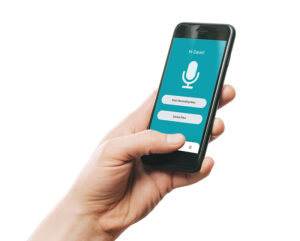
If you want a simple way to dictate and get your reports back ready to use, you can record on your phone and send it directly to us using our dictation app.  We will take care of the typing, formatting and final document so you can focus on your work.  Call us on 020 7096 1663 or email us here.

“Mixed Results”: What One Surveyor Told Us About Speech to Text

We recently spoke to a long-standing client - a chartered surveyor working within a large organisation.

Like many companies, they’ve been encouraged to use speech to text technology wherever possible.

The goal is simple:
Improve efficiency
Reduce reliance on outsourced services
Speed up document production

But when we asked how it was going, his response was:

“Mixed results.”


Where Speech to Text Works Well

To be fair, speech to text does have its place.

For this particular surveyor, it works reasonably well for:

When formatting isn’t important and accuracy doesn’t need to be perfect, it can be a useful tool.


Where It Starts to Fall Down

However, the challenges quickly appear when the work becomes more complex.

He explained that issues arise with:

And, most importantly:

Consistency

Even small errors can:


The Reality: Time Isn’t Always Saved

While speech to text is intended to save time, the reality can be different.

Instead of simply dictating and sending, the process often becomes:

  1. Dictate
  2. Review
  3. Correct errors
  4. Reformat text

The result? More time spent than expected.


A Hybrid Approach Is Emerging

What we’re increasingly seeing is a blended workflow:

This allows surveyors to:


Why Professional Transcription Still Matters

For anything client-facing or detailed, accuracy and presentation are critical.

That’s where professional transcription makes the difference.

At BackupTyping, we:

So you don’t have to spend time fixing mistakes


Quick Summary

Speech to text can be useful for simple tasks, but many professionals experience “mixed results” when using it for detailed or technical documents. A hybrid approach often delivers the best balance of speed and accuracy.


If you’re finding speech to text isn’t quite delivering the results you expected BackupTyping is here to support you.


BackupTyping is a chartered surveying specialist audio transcription and document production company working with a variety of clients from large corporations to small niche companies, all receiving the same high quality and fast service from a team of audio typists who worked at senior levels in chartered surveying organisations. 

Call:  020 7096 1663 or Email us.

Try us instantly with our FREE dictation app!

BackupTyping Dictation App built for clients of our specialist property transcription service to use at no charge or licence. Just dictate and send to us at the touch of a button!


Related Articles:

What Is Audio Transcription for Chartered Surveyors?

Fee Earner or Typist? | Why Outsourcing Typing Works

Can I dictate on my mobile phone?

Well it depends on what you are looking for as they all effectively do the primary thing that is needed and that’s make recordings, it just depends on what else you want it to do.

Possibly the first consideration is handheld or an app on your smartphone.

The main things to consider before deciding are:

Security

Using a mobile app isn’t a secure way to dictate and share documents to your audio typing company unless you’re using an encrypted paid for service. Free recording apps, Siri and so on don’t protect your data. However, a handheld device means (99% of certified devices) are encrypted or PIN protected or both – super safe.

Battery life

If you rely on your Smartphone to take and receive calls, compose and check emails, take photos for work purposes as well as dictate reports to your audio typist – you might find your phone is needing constant re-charging. Using a dedicated device means your phone can take a break between all of its other tasks. A dedicated device also has a superior battery life in comparison to a smartphone.

Need your dictation urgently

With an app-based system, you also have the benefit of being able to send your files immediately either to your secretary or outsource typing facility to enable your dictation to be transcribed immediately rather than needing to wait to ‘dock’ back in the office. Some hand-held devices also now have Wi-Fi capabilities so this is no longer the domain only of the smartphone app.

There is of course benefits to using an app – including but not limited to:

Only needing to carry one device as opposed to multiple.

A dedicated device may be slight overkill for someone who doesn’t dictate very often.

Equally, if you are dictating very long files you would need to keep an eye on the battery life.

If you’ve made the decision to opt for a handheld device now you face the task of trying to figure out which of the dozens of machines is the right one for you so check out our article 'Which dictation machine is the best?'

BackupTyping provides a fast, accurate and experienced transcription service for property professionals - saving you time and money. Call us on 020 7096 1663 to find out how we can help you.